Welcome to Code Line Counter Pro - Delphi Version
Software Metrices Measurement Expert. Click here to Buy Now
How to get comment lines number and its percentage?
Step 1) Select your Delphi project Directory, as Figure 1 shows
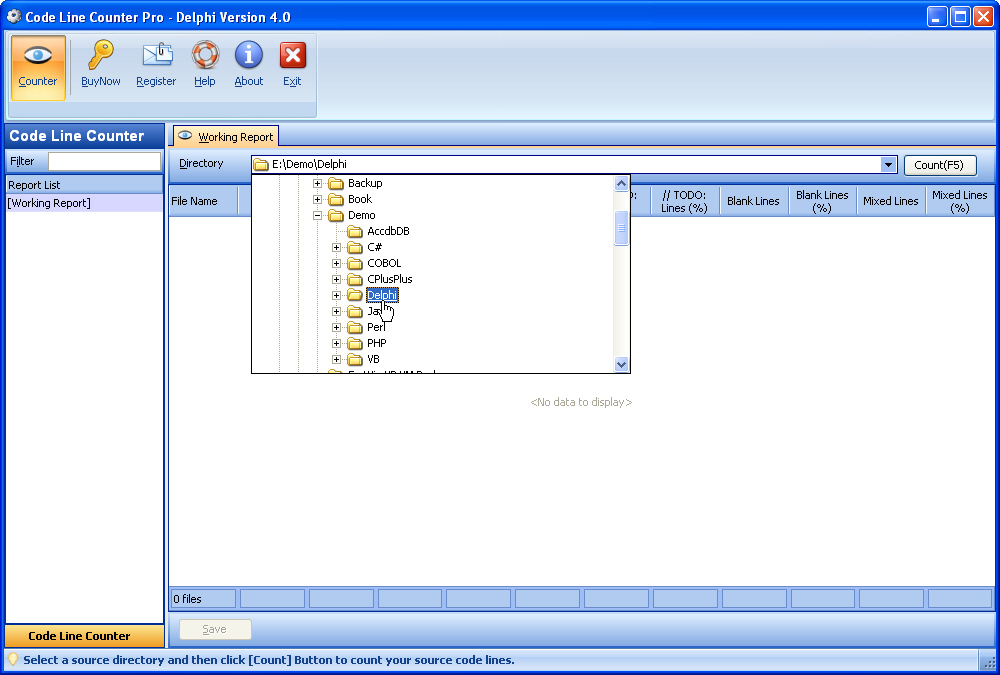
Figure 1 Select Your Delphi Source Directory
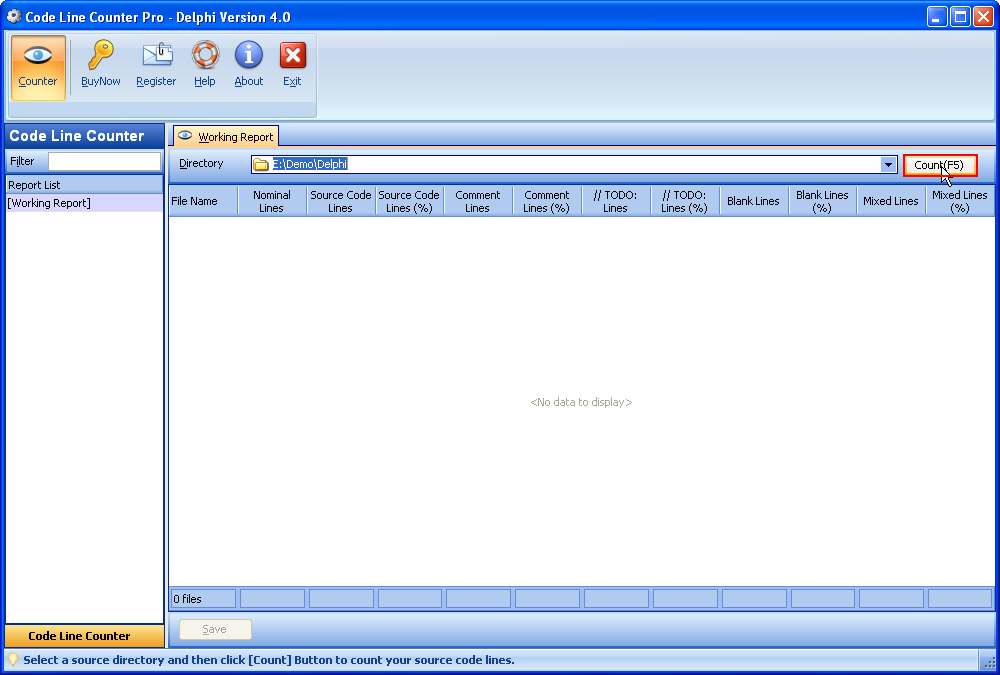
Step 2) Click Count Button to count your Delphi project, as Figure 2 shows
Figure 2 Click Count Button
Step 3) And then, Code Line Counter shows you the Save Report dialog, Please click "Yes, Save it", as Figures 3 shows
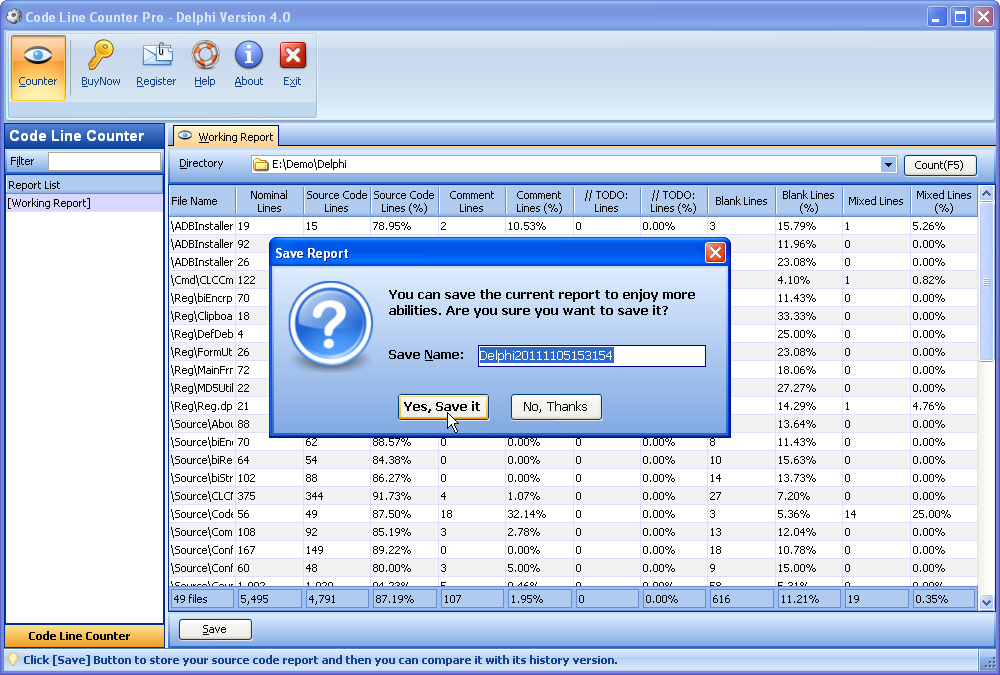
Figure 3 Click Yes, Save it Button
Step 4) OK, you can see your comment lines number and its percentage on View tab, as Figures 4 shows
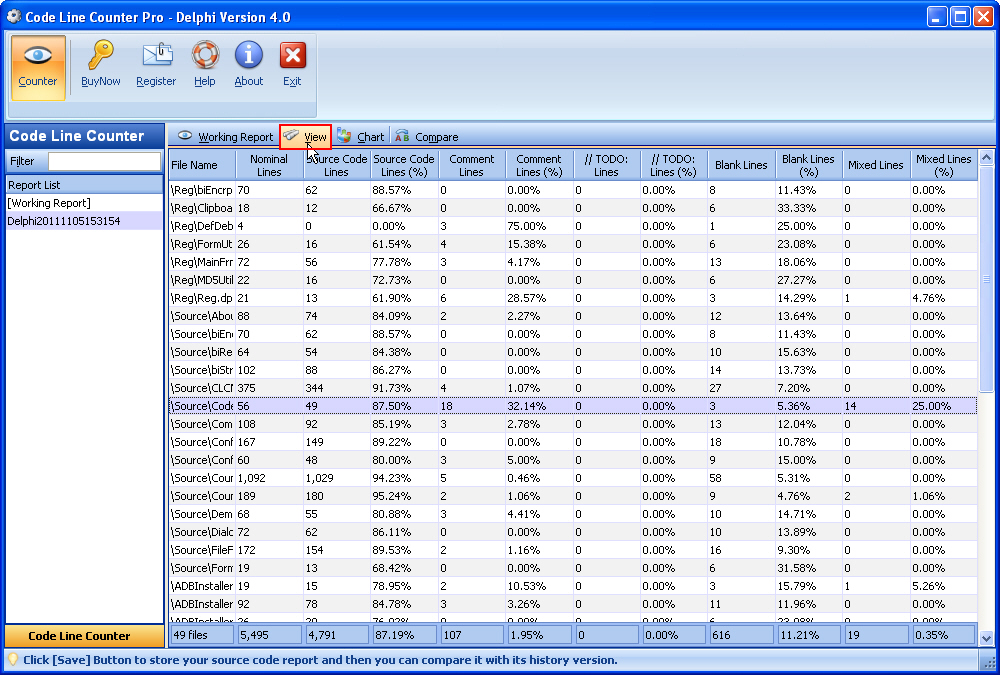
Figure 4 View the Current Report
Step 5) You can right-click the current report name on the left-hand panel to rename its name, as Figure 5 shows
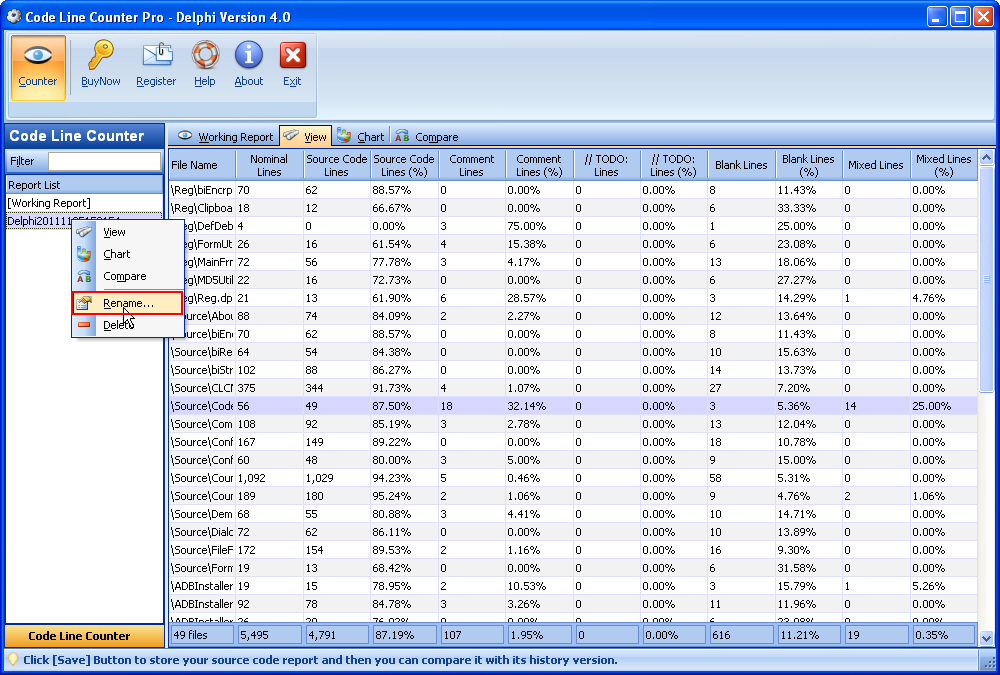
Figure 5 Rename Existing Report
Go to Help Index Page
Copyright © 2004 - 2024 CLC Software Ltd - All Rights Reserved
Overview
All Code Line Counter softwares may be helpful for project managers, programmers and other customers who need an overview of a project source code.
Download
To download Code Line Counter products
BuyNow
Buy Now! The most powerful and easy-to-use Code Line Counter Family!
Quick Start
With the help of Code Line Counter Family, you can quickly and easily get a report on software source code.
Support
Your feed back and support is very important to us! If there is any problem while registering or using our products, please contact us via email: support@codelinecounter.com
Our Friend links
These are our Friend links. please click here